Free tools for Claude, Gemini and other AI models

Good-looking 3D from an AI, in Blender.

Blender is a free program for making 3D pictures and animation. AI models can already drive it by writing code, but they have to build every light, surface and camera angle from nothing. Blender Studio gives the AI what a photographer has: lights, materials, a camera that frames the shot, and a way to look at its own picture and fix it. In a blind test across four Claude models, its pictures were judged better than plain Blender's in 9 of 12 pairs.

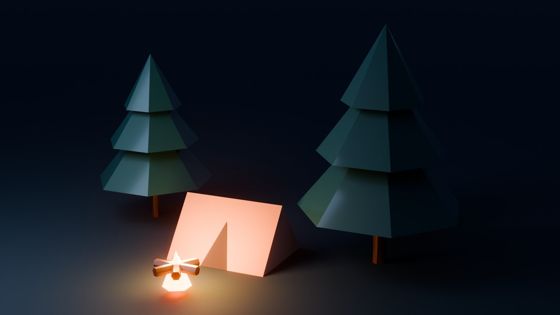
A pink neon HELLO sign beside a glowing cyan ring and a chrome ball, reflected in a dark glossy floor
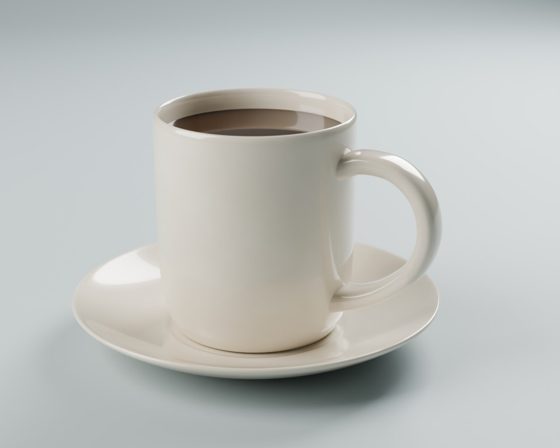
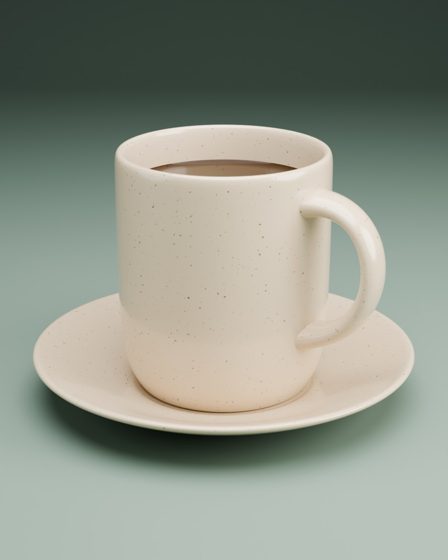
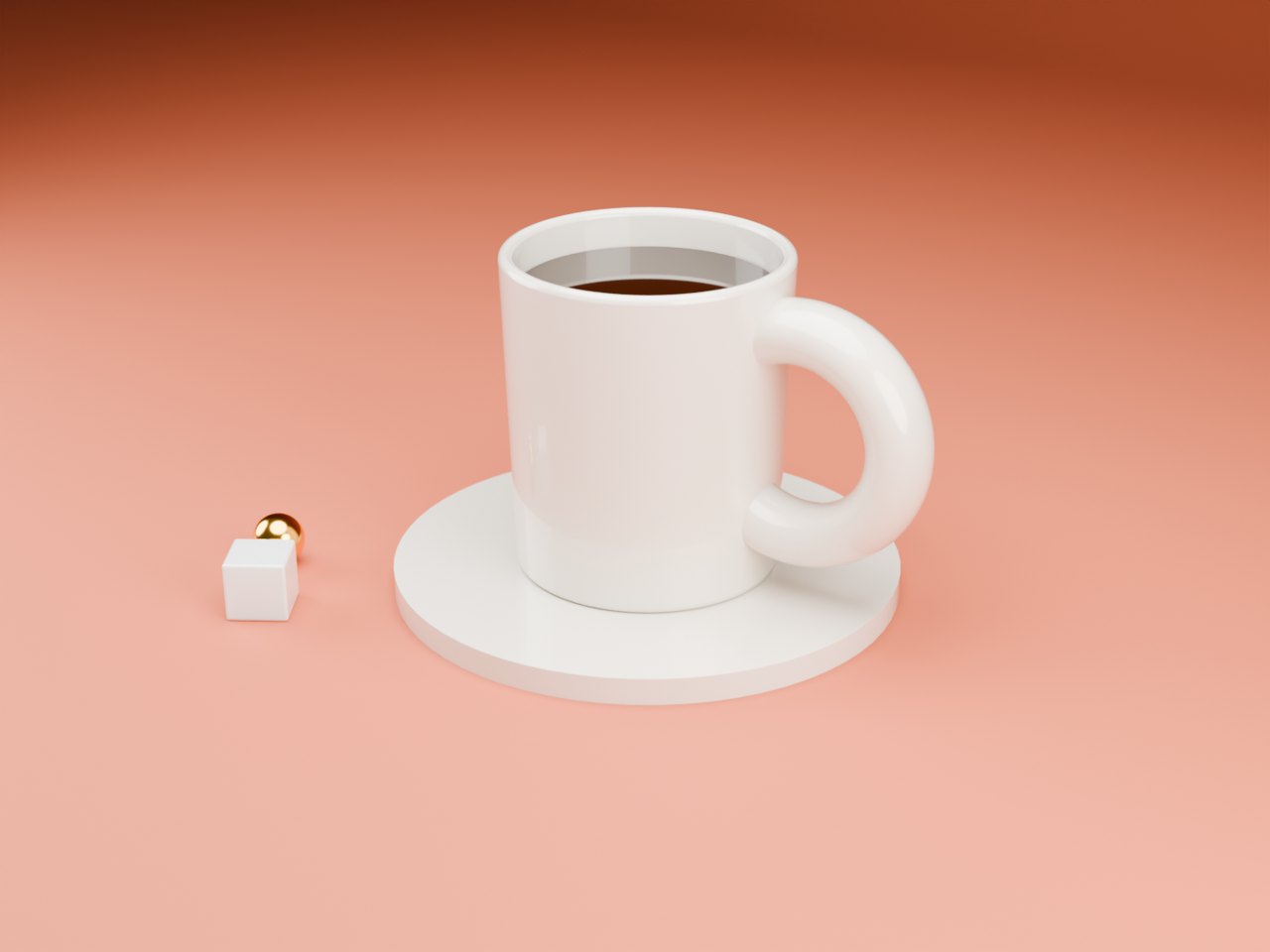
A white ceramic mug of coffee on a saucer against a terracotta backdrop
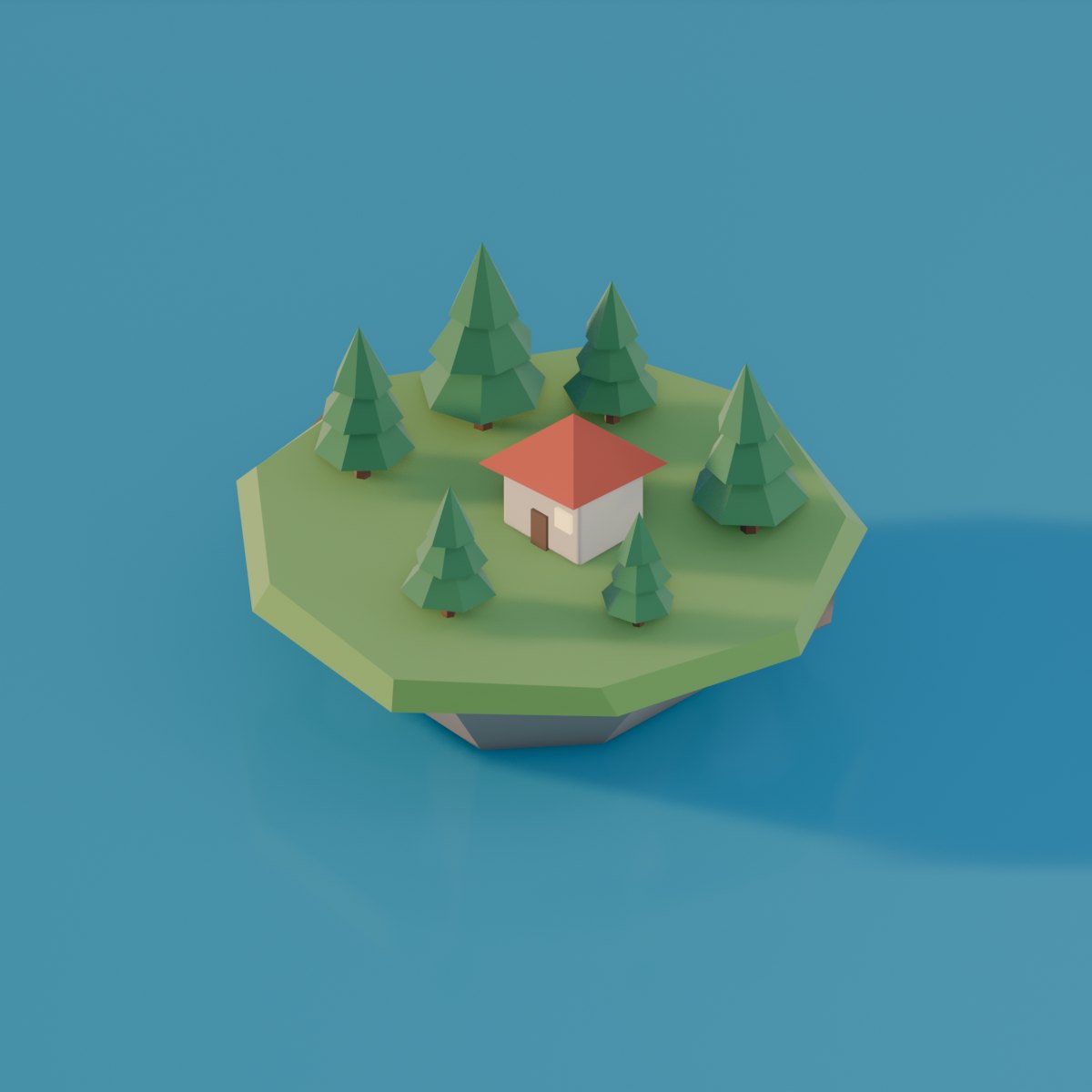
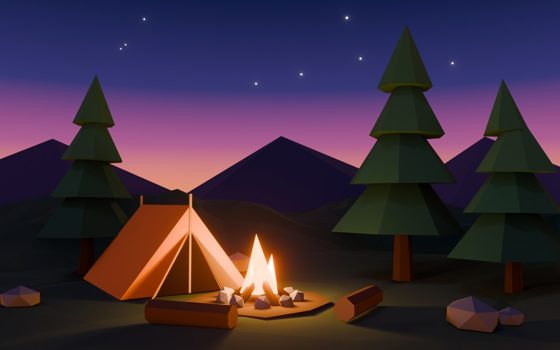
A low-poly island with pine trees and a small red-roofed house on blue water

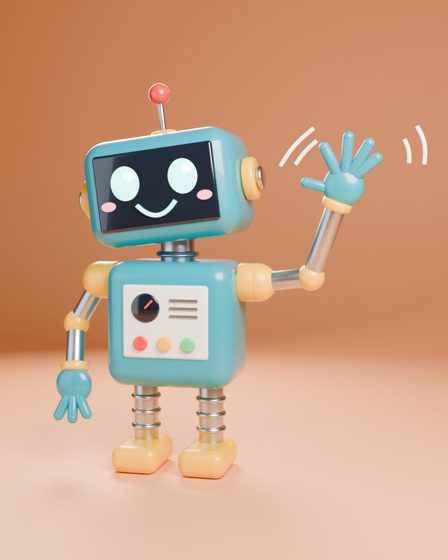
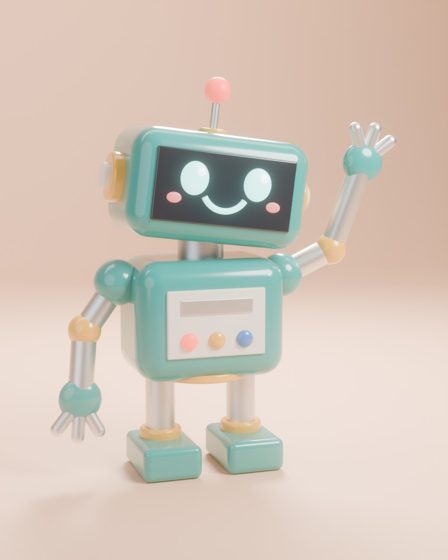
These three were built and photographed using only the tools, from a script in the repository. Nothing was touched up by hand.

What it changes

Less to build from nothing.

Plain Blender

  • The AI writes Blender code line by line, from memory.
  • One command that this version of Blender does not have, and the step fails.
  • Lights, camera and materials all start from nothing, every time.
  • It only sees a picture if it sets up and runs a render itself.

With Blender Studio

  • 43 ready-made tools: "light this like a product shot", "make it ceramic", "frame it from three-quarters".
  • Everything is sized to the scene automatically, so a 10 cm mug and a 10 m room both come out right.
  • Every render comes back as a picture, with a warning if it is too dark or blown out.
  • A scene check catches floating objects, missing lights and subjects out of frame. Every step can be undone.

How a picture gets made

  1. BuildShapes, rocks, terrain, characters, or ready-made models.create_object · create_character
  2. FinishReal surfaces and softened edges, so objects catch the light.apply_material · add_polish
  3. StageA backdrop, a lighting rig, a framed camera and an overall mood.studio_lighting · frame_camera
  4. LookCheck the scene, render it, and study the picture.scene_check · render_preview
  5. FixChange what is wrong and render again, usually three to six rounds.undo · render_final

Blender starts by itself in the background. There is no add-on to install, no account and no API key, and it works on macOS, Windows and Linux with any AI app that supports MCP, the common way of plugging tools into AI apps.

The comparison

Same model, same request, both ways.

To see whether the tools help, the same model was given the same one-line request twice: once with plain Blender, where it writes code, renders and looks at the result, and once with Blender Studio. This round covers Claude Haiku 4.5, Haiku 5.5, Sonnet 5.5 and Opus 5.5 on three requests each, with the tools as fixed after the first round. Claude Opus 5.5 judged each pair blind, under neutral file names.

The short version: Blender Studio's picture was judged better in 9 of 12 pairs and plain Blender's in 3. The average score was 6.1 against 4.7 out of 10, every model averaged higher with the tools, and no tool call failed with them.

ModelWayJudge, of 10Judged betterTotal timeModel timeTokens writtenTokens readCostFailed calls
Claude Haiku 4.53 requests Plain Blender1.81 of 3415 s311 s31k1286k$0.466 of 73
Blender Studio4.02 of 3515 s191 s15k971k$0.280 of 91
Claude Haiku 5.53 requests Plain Blender4.81 of 3272 s157 s31k208k$0.030 of 21
Blender Studio6.32 of 3655 s460 s146k547k$0.090 of 54
Claude Sonnet 5.53 requests Plain Blender4.81 of 366 s36 s5k35k$0.121 of 10
Blender Studio5.72 of 383 s41 s6k146k$0.190 of 31
Claude Opus 5.53 requests Plain Blender7.20 of 31314 s259 s26k152k$0.941 of 22
Blender Studio8.33 of 3450 s218 s23k291k$1.000 of 35

Tokens are the units AI models read and write in, and what they are billed by. "Tokens read" counts everything sent to the model across all its requests, including repeats.

What it shows

  • Every model averaged higher with the tools. Haiku 4.5 went from 1.8 to 4.0, Haiku 5.5 from 4.8 to 6.3, Sonnet 5.5 from 4.8 to 5.7 and Opus 5.5 from 7.2 to 8.3.
  • Opus turned round. Before the fixes it scored 6.8 with the tools against 7.7 without. After them it won all three pairs.
  • Not every request improved. Plain Blender won Sonnet's and Haiku 5.5's campsites and Haiku 4.5's mug. Sonnet's campsite with the tools scored 3.5, its worst picture of the round, and is the first thing the next round looks at.
  • No failed steps with the tools. 0 of 211 tool calls failed, against 8 of 126 with plain Blender.
  • The cost is mostly reading. Haiku 5.5, Sonnet and Opus read 1.9 to 4.2 times as many tokens with the tools. In money: Opus $1.00 against $0.94, Sonnet $0.19 against $0.12, Haiku 5.5 $0.09 against $0.03. Haiku 4.5 was cheaper with the tools, $0.28 against $0.46.

What it does not show

  • One attempt per pair and three still-life requests. The next rounds use a larger set of requests that need people, physics, organic shapes, ready-made assets, glass and video.
  • The judge scores the same picture differently from one day to the next: Haiku 5.5's plain pictures, reused from the first round, averaged 4.8 this time against 5.5 before. Compare tools and plain within a round, not across rounds.
  • Opus judged its own pictures too, blind and with no memory of making them.
  • Plain-Blender pictures for Haiku 5.5 and Opus 5.5 were reused from the first round, since plain Blender did not change; the other models ran both ways again.
  • Gemini 3.8 Flash could not be scored: its plain run spent 106 minutes in timeouts without producing a picture, which used up the free daily allowance before its tools run.
  • “Plain Blender” is this project's own three-tool stand-in, and the test was run by the person who built the tools.

Every pair, side by side

Each frame flicks through the renders the model looked at, ending on its final picture.

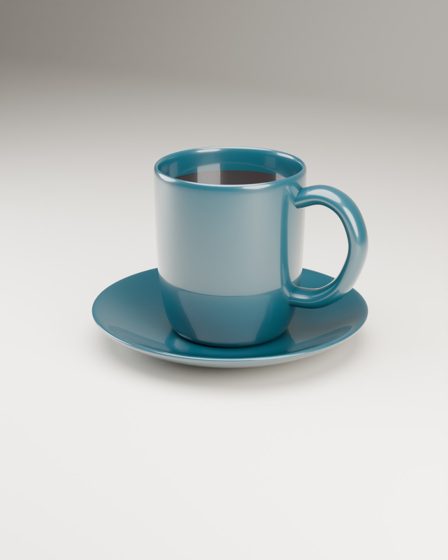
Claude Haiku 4.5 Ceramic mug product shot

Plain Blenderjudged better
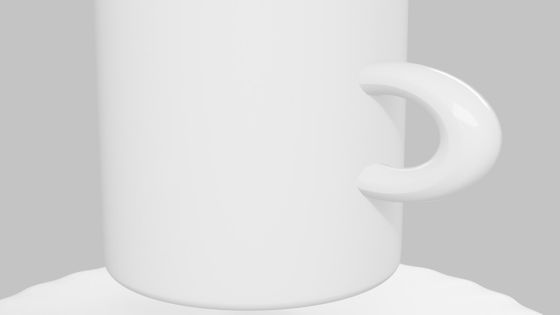
Plain Blender renders for Ceramic mug product shot by Claude Haiku 4.5, from first to finalRender 5 of 5
  • Judge: 3.0 / 10
  • 100 s total, 67 s on the model
  • 7k tokens written, 176k read
  • 18 tool calls, 3 failed

Blender Studio
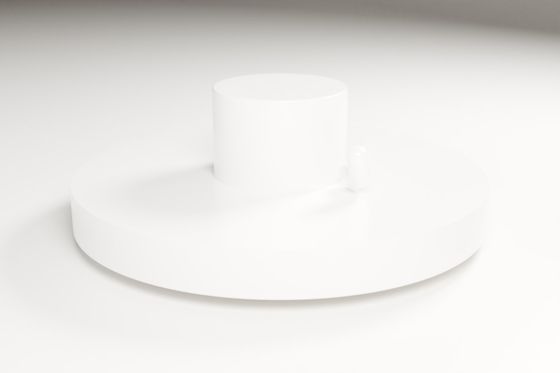
Blender Studio renders for Ceramic mug product shot by Claude Haiku 4.5, from first to finalRender 2 of 2
  • Judge: 3.0 / 10
  • 150 s total, 42 s on the model
  • 3k tokens written, 152k read
  • 13 tool calls, 0 failed

Judge: “The second clearly reads as a mug with a believable glossy handle, but it's badly cropped and the top is cut off; the first is framed well but shows a solid cylinder on a thick, oversized disc with a tiny blob for a handle, so it doesn't read as a mug and saucer at all.”

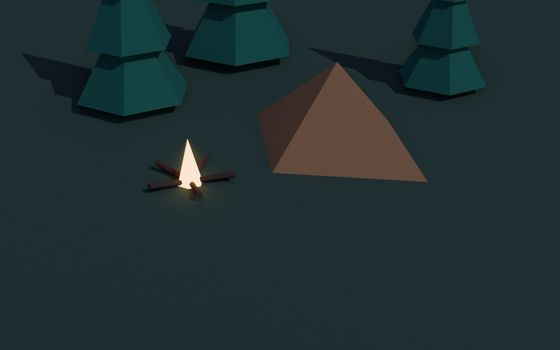
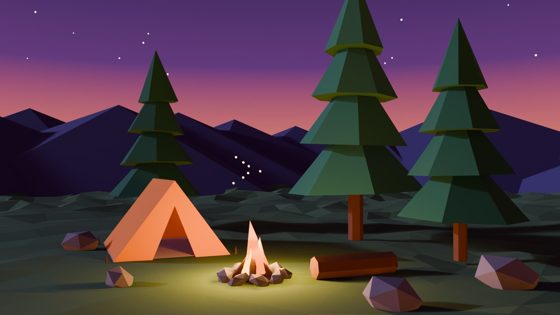
Claude Haiku 4.5 Low-poly campsite at dusk

Plain Blender
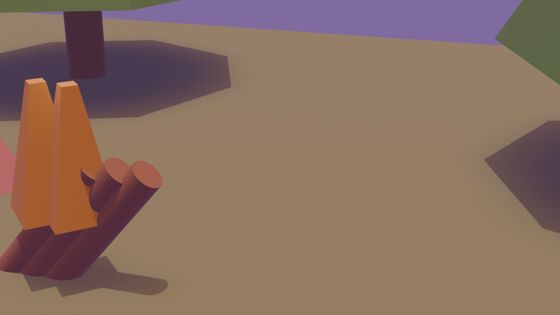
Plain Blender renders for Low-poly campsite at dusk by Claude Haiku 4.5, from first to finalRender 6 of 6
  • Judge: 1.5 / 10
  • 104 s total, 73 s on the model
  • 8k tokens written, 202k read
  • 17 tool calls, 3 failed

Blender Studiojudged better
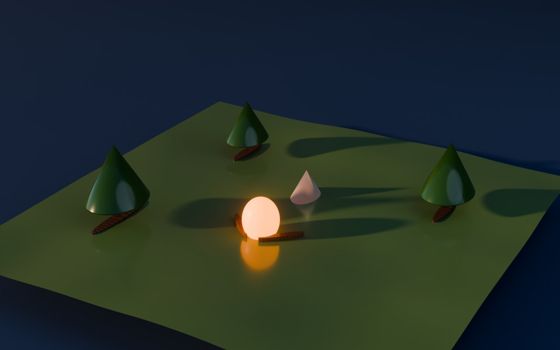
Blender Studio renders for Low-poly campsite at dusk by Claude Haiku 4.5, from first to finalRender 4 of 4
  • Judge: 5.0 / 10
  • 122 s total, 46 s on the model
  • 5k tokens written, 219k read
  • 30 tool calls, 0 failed

Judge: “The second shows all the requested parts with a working dusk mood from the glowing fire, despite its trunks lying flat, a plain cone for a tent and a too-glossy ground; the first is badly cropped, with the tent and trees cut off and the fire's flames barely readable.”

Claude Haiku 4.5 Toy robot waving

Plain Blender
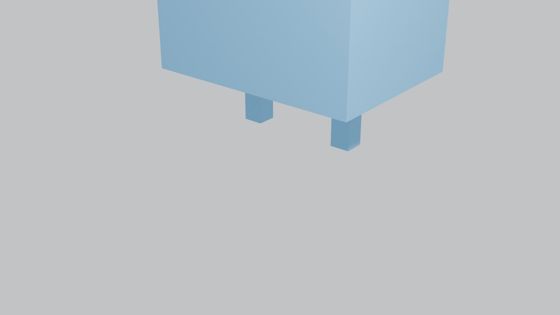
Plain Blender renders for Toy robot waving by Claude Haiku 4.5, from first to finalRender 18 of 18
  • Judge: 1.0 / 10
  • 211 s total, 171 s on the model
  • 16k tokens written, 908k read
  • 38 tool calls, 0 failed

Blender Studiojudged better
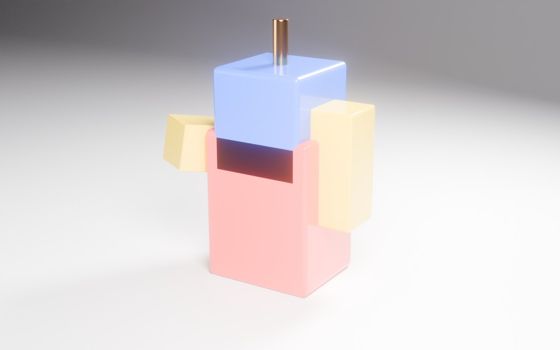
Blender Studio renders for Toy robot waving by Claude Haiku 4.5, from first to finalRender 9 of 9
  • Judge: 4.0 / 10
  • 243 s total, 102 s on the model
  • 7k tokens written, 599k read
  • 48 tool calls, 0 failed

Judge: “The first is badly framed and shows only the bottom of a blue box with two legs, while the second shows the whole robot, nicely lit with glossy toy colours, though it has no face, no clear wave and the arms clip into the body.”

Claude Haiku 5.5 Ceramic mug product shot

Plain Blender
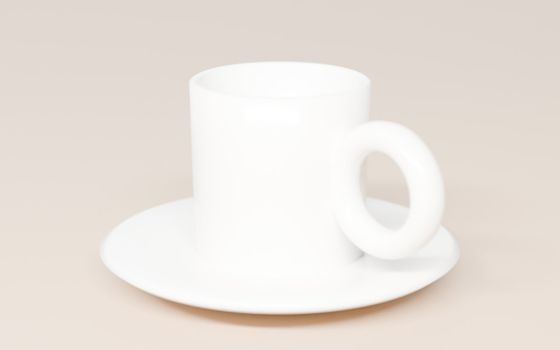
Plain Blender renders for Ceramic mug product shot by Claude Haiku 5.5, from first to finalRender 2 of 2
  • Judge: 3.5 / 10
  • 128 s total, 43 s on the model
  • 8k tokens written, 68k read
  • 8 tool calls, 0 failed

Blender Studiojudged better

Blender Studio renders for Ceramic mug product shot by Claude Haiku 5.5, from first to finalRender 3 of 3
  • Judge: 7.0 / 10
  • 110 s total, 34 s on the model
  • 6k tokens written, 194k read
  • 16 tool calls, 0 failed

Judge: “The first image has controlled studio lighting, good contrast against the teal backdrop and clear form, while the second is overexposed and soft, so the white ceramic loses its shape and looks blurry, which isn't good enough for a catalogue.”

Claude Haiku 5.5 Low-poly campsite at dusk

Plain Blenderjudged better
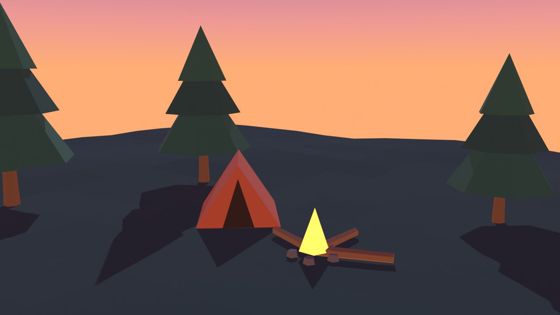
Plain Blender renders for Low-poly campsite at dusk by Claude Haiku 5.5, from first to finalRender 2 of 2
  • Judge: 6.0 / 10
  • 70 s total, 59 s on the model
  • 13k tokens written, 37k read
  • 5 tool calls, 0 failed

Blender Studio

Blender Studio renders for Low-poly campsite at dusk by Claude Haiku 5.5, from first to finalRender 4 of 4
  • Judge: 5.0 / 10
  • 459 s total, 395 s on the model
  • 134k tokens written, 208k read
  • 14 tool calls, 0 failed

Judge: “The second picture shows everything asked for (a clear dusk sky, a readable tent, a campfire and three pines), even though its lighting is flat and the fire gives off no glow, while the first has a lovely fire-lit mood but only two trees, looks like night rather than dusk, and has a blocky tent and a tiny, unclear fire.”

Claude Haiku 5.5 Toy robot waving

Plain Blender
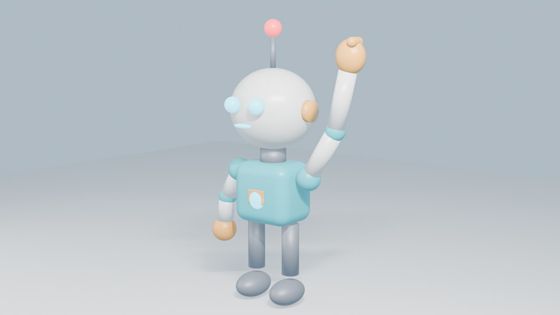
Plain Blender renders for Toy robot waving by Claude Haiku 5.5, from first to finalRender 3 of 3
  • Judge: 5.0 / 10
  • 74 s total, 55 s on the model
  • 11k tokens written, 102k read
  • 8 tool calls, 0 failed

Blender Studiojudged better
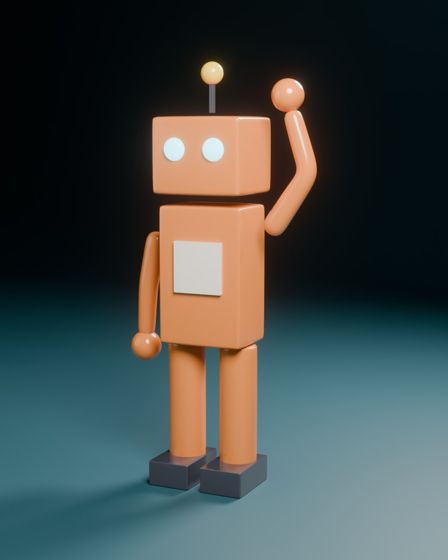
Blender Studio renders for Toy robot waving by Claude Haiku 5.5, from first to finalRender 2 of 2
  • Judge: 7.0 / 10
  • 86 s total, 30 s on the model
  • 7k tokens written, 145k read
  • 24 tool calls, 0 failed

Judge: “The first image shows a clearly friendly robot with an open wave, lit by moody, shape-defining light with good figure-ground contrast, while the second has flat, washed-out lighting, an off-model face with eyes slid to one side, and a raised clenched fist that looks more like cheering than waving.”

Claude Sonnet 5.5 Ceramic mug product shot

Plain Blender
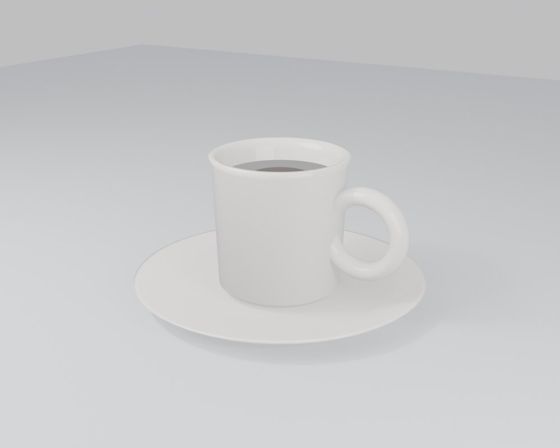
Plain Blender renders for Ceramic mug product shot by Claude Sonnet 5.5, from first to finalRender 1 of 1
  • Judge: 4.0 / 10
  • 19 s total, 11 s on the model
  • 2k tokens written, 7k read
  • 2 tool calls, 0 failed

Blender Studiojudged better
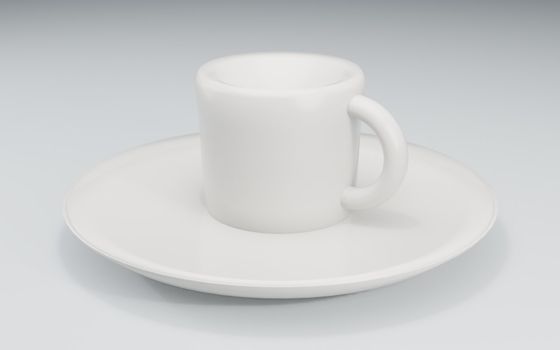
Blender Studio renders for Ceramic mug product shot by Claude Sonnet 5.5, from first to finalRender 1 of 1
  • Judge: 6.0 / 10
  • 24 s total, 10 s on the model
  • 1k tokens written, 40k read
  • 6 tool calls, 0 failed

Judge: “The first fills the frame with a clean, seamless catalogue-style backdrop and soft shading that shapes the cup, while the second leaves the product small, shows the corner of the set, and has flat, washed-out lighting, though its coffee is a nice touch.”

Claude Sonnet 5.5 Low-poly campsite at dusk

Plain Blenderjudged better
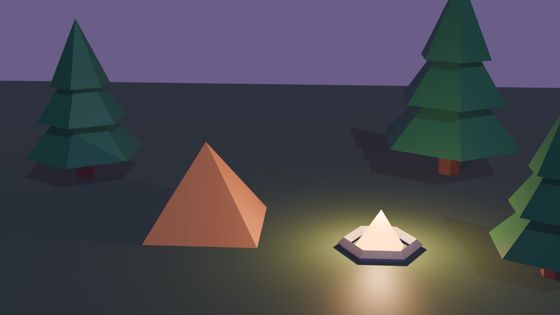
Plain Blender renders for Low-poly campsite at dusk by Claude Sonnet 5.5, from first to finalRender 2 of 2
  • Judge: 6.0 / 10
  • 24 s total, 10 s on the model
  • 1k tokens written, 13k read
  • 4 tool calls, 0 failed

Blender Studio

Blender Studio renders for Low-poly campsite at dusk by Claude Sonnet 5.5, from first to finalRender 2 of 2
  • Judge: 3.5 / 10
  • 26 s total, 11 s on the model
  • 2k tokens written, 42k read
  • 4 tool calls, 0 failed

Judge: “The first image shows the tent, a glowing fire and all three pine trees in full against a dusk sky, while the second uses a steep top-down angle that cuts the trees off at the frame edge, leaves no sky to read as dusk, and has a large empty, unlit foreground.”

Claude Sonnet 5.5 Toy robot waving

Plain Blender

Plain Blender renders for Toy robot waving by Claude Sonnet 5.5, from first to finalRender 2 of 2
  • Judge: 4.5 / 10
  • 23 s total, 15 s on the model
  • 2k tokens written, 15k read
  • 4 tool calls, 1 failed

Blender Studiojudged better
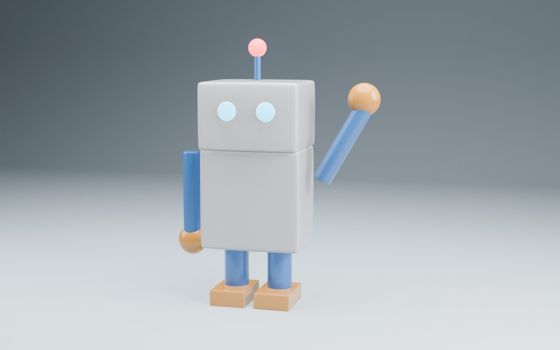
Blender Studio renders for Toy robot waving by Claude Sonnet 5.5, from first to finalRender 1 of 1
  • Judge: 7.5 / 10
  • 33 s total, 19 s on the model
  • 3k tokens written, 64k read
  • 21 tool calls, 0 failed

Judge: “The first robot is a well-crafted render: the three-quarter view, soft studio lighting with a seamless backdrop and the bevelled matte materials give it shape and appeal, while the second, though it has a friendlier face, looks flat, with a visible floor-wall seam, faceted spheres, a detached arm and a sharp, unconvincing shadow.”

Claude Opus 5.5 Ceramic mug product shot

Plain Blender
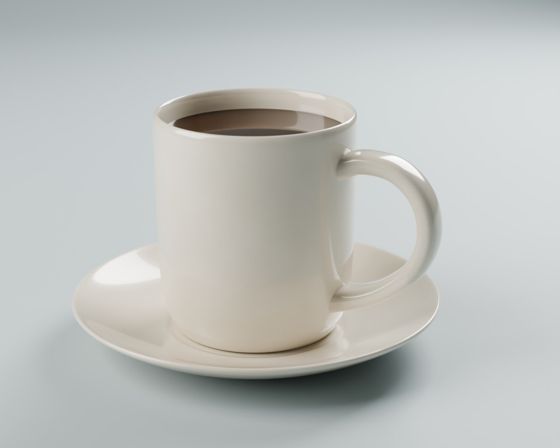
Plain Blender renders for Ceramic mug product shot by Claude Opus 5.5, from first to finalRender 3 of 3
  • Judge: 7.0 / 10
  • 798 s total, 97 s on the model
  • 10k tokens written, 47k read
  • 6 tool calls, 0 failed

Blender Studiojudged better
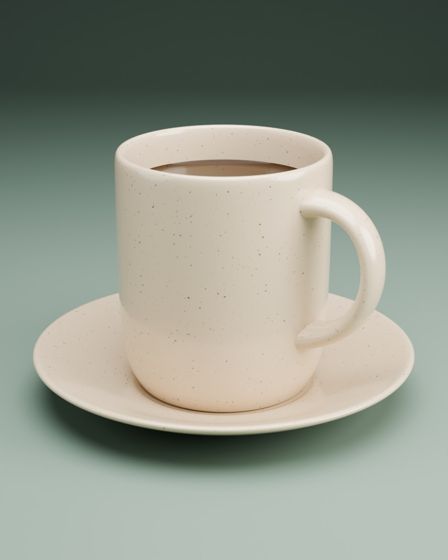
Blender Studio renders for Ceramic mug product shot by Claude Opus 5.5, from first to finalRender 4 of 4
  • Judge: 8.0 / 10
  • 199 s total, 62 s on the model
  • 7k tokens written, 108k read
  • 15 tool calls, 0 failed

Judge: “Both are clean, recognisable mug-and-saucer product shots, but the first's speckled stoneware glaze, sage gradient backdrop and portrait framing feel more considered and catalogue-ready than the second's plainer white-on-grey treatment, which is competent but generic.”

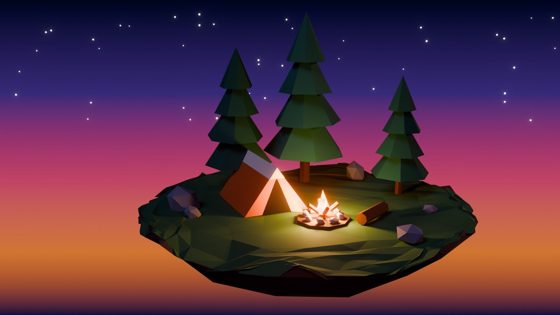
Claude Opus 5.5 Low-poly campsite at dusk

Plain Blender
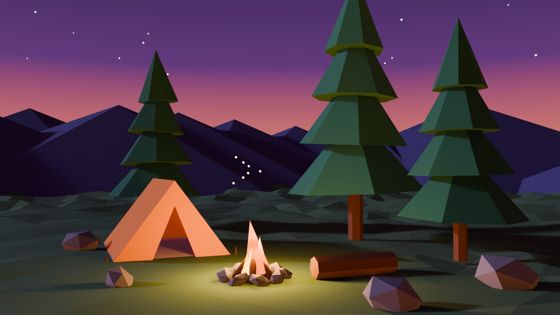
Plain Blender renders for Low-poly campsite at dusk by Claude Opus 5.5, from first to finalRender 3 of 3
  • Judge: 7.0 / 10
  • 83 s total, 68 s on the model
  • 7k tokens written, 39k read
  • 7 tool calls, 0 failed

Blender Studiojudged better
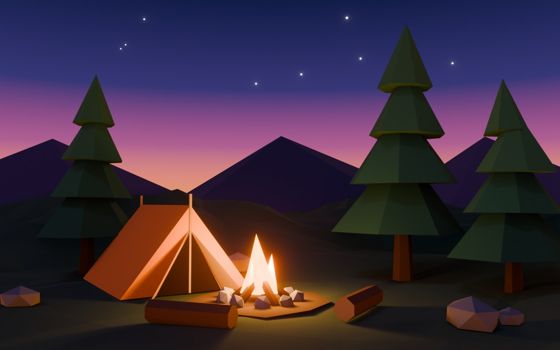
Blender Studio renders for Low-poly campsite at dusk by Claude Opus 5.5, from first to finalRender 3 of 3
  • Judge: 9.0 / 10
  • 90 s total, 74 s on the model
  • 8k tokens written, 77k read
  • 8 tool calls, 0 failed

Judge: “Both show the tent, campfire and three pines clearly at dusk, but the second has a far more convincing glowing fire that lights the tent and ground warmly, a richer sky gradient and a tighter, better-balanced grouping, whereas the first's fire is weak and its greenish light pool and tree placement feel flatter.”

Claude Opus 5.5 Toy robot waving

Plain Blender
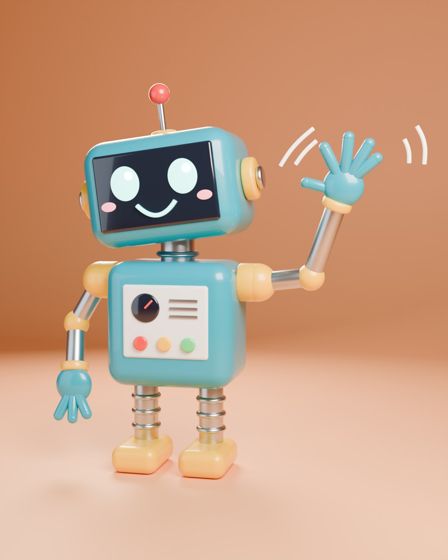
Plain Blender renders for Toy robot waving by Claude Opus 5.5, from first to finalRender 4 of 4
  • Judge: 7.5 / 10
  • 434 s total, 94 s on the model
  • 10k tokens written, 67k read
  • 9 tool calls, 1 failed

Blender Studiojudged better

Blender Studio renders for Toy robot waving by Claude Opus 5.5, from first to finalRender 3 of 3
  • Judge: 8.0 / 10
  • 162 s total, 82 s on the model
  • 8k tokens written, 106k read
  • 12 tool calls, 0 failed

Judge: “Both clearly show a friendly toy robot waving, but the second has richer lighting with a glowing screen and stronger depth, more varied and considered materials and detailing, and fills the frame better, whereas the first is flatter and weakly grounded despite its charming motion lines.”

Full numbers and method, including the first round, are in the repository.

What changed between the two rounds.

In the first round, Opus 5.5 scored lower with the tools than without. Its recorded runs and the judge's comments showed why, and these changes followed:

  • Loose framing. The camera measured a box around the subject, so round things came out small with dead space. It now measures the real shape.
  • Flat, washed-out staging. Glossy surfaces were too mirror-like and the backdrop was lit as brightly as the subject. Surfaces are softer, the backdrop darkens as it recedes, and lighting has a contrast setting.
  • A guide that held models back. The design guide pushed few shapes, few materials and muted colours. It is now a set of tips that encourages detail and the model's own lights where those look better.
  • Wasted effort. A scene check raised false alarms and materials had to be set one call at a time. Both are fixed, and the tool descriptions are 27% shorter.
Judge's average, of 10Plain, first roundTools, first roundPlain, nowTools, now
Claude Haiku 4.51.54.01.84.0
Claude Haiku 5.55.55.34.86.3
Claude Sonnet 5.55.56.74.85.7
Claude Opus 5.57.76.87.28.3

First-round figures are from 10 and 13 October with the tools as they were. The judge's scores drift by about half a point between rounds, so compare each round's plain and tools columns with each other. Below: Opus's pictures at each stage.

Claude Opus 5.5 Ceramic mug product shot

Plain Blender

Opus plain blender for Ceramic mug product shot

Tools, first round

Opus tools, first round for Ceramic mug product shot

Tools, after the fixes

Opus tools, after the fixes for Ceramic mug product shot

Claude Opus 5.5 Low-poly campsite at dusk

Plain Blender

Opus plain blender for Low-poly campsite at dusk

Tools, first round

Opus tools, first round for Low-poly campsite at dusk

Tools, after the fixes

Opus tools, after the fixes for Low-poly campsite at dusk

Claude Opus 5.5 Toy robot waving

Plain Blender

Opus plain blender for Toy robot waving

Tools, first round

Opus tools, first round for Toy robot waving

Tools, after the fixes

Opus tools, after the fixes for Toy robot waving

Not tied to one AI

Gemini can drive it too.

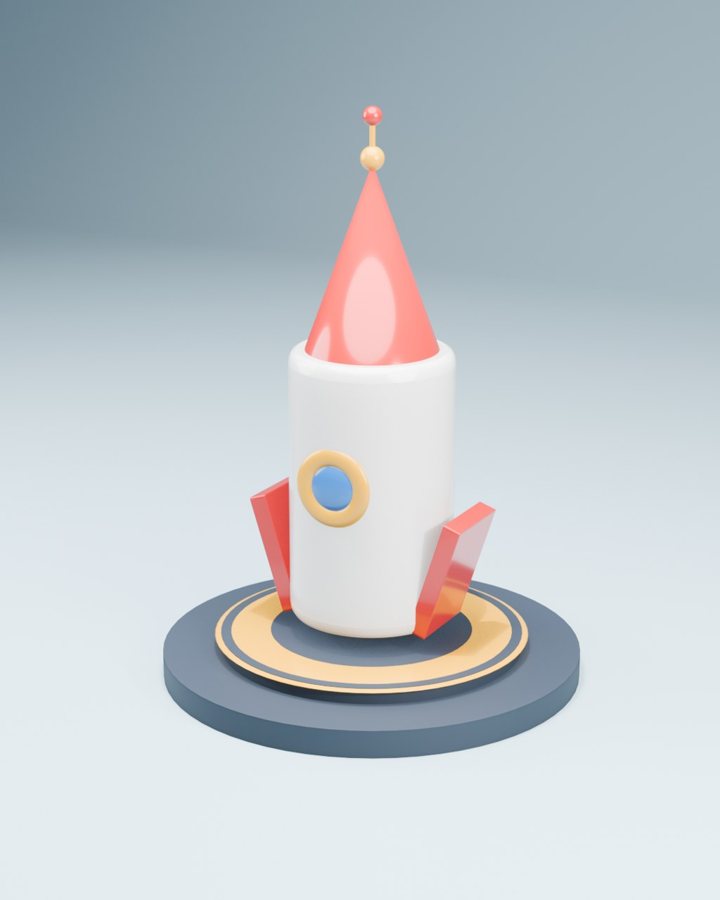
Google Gemini was given a cut-down kit of 15 tools and asked for a toy rocket on a launch pad. It built the scene, rendered it nine times and revised between renders, with no failed steps.

It kept turning the lights up, which is why the reds came out pale. Nothing was corrected afterwards. The script that runs this fits inside Gemini's free daily allowance and is in the repository.

Gemini's nine renders of a toy rocket on a launch pad, from its first attempt to its last Render 9 of 9

Beyond still life

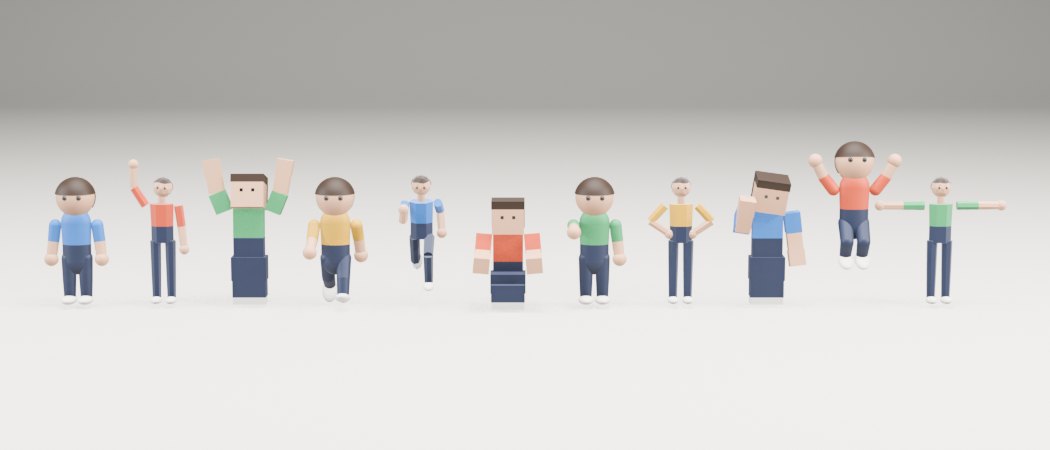
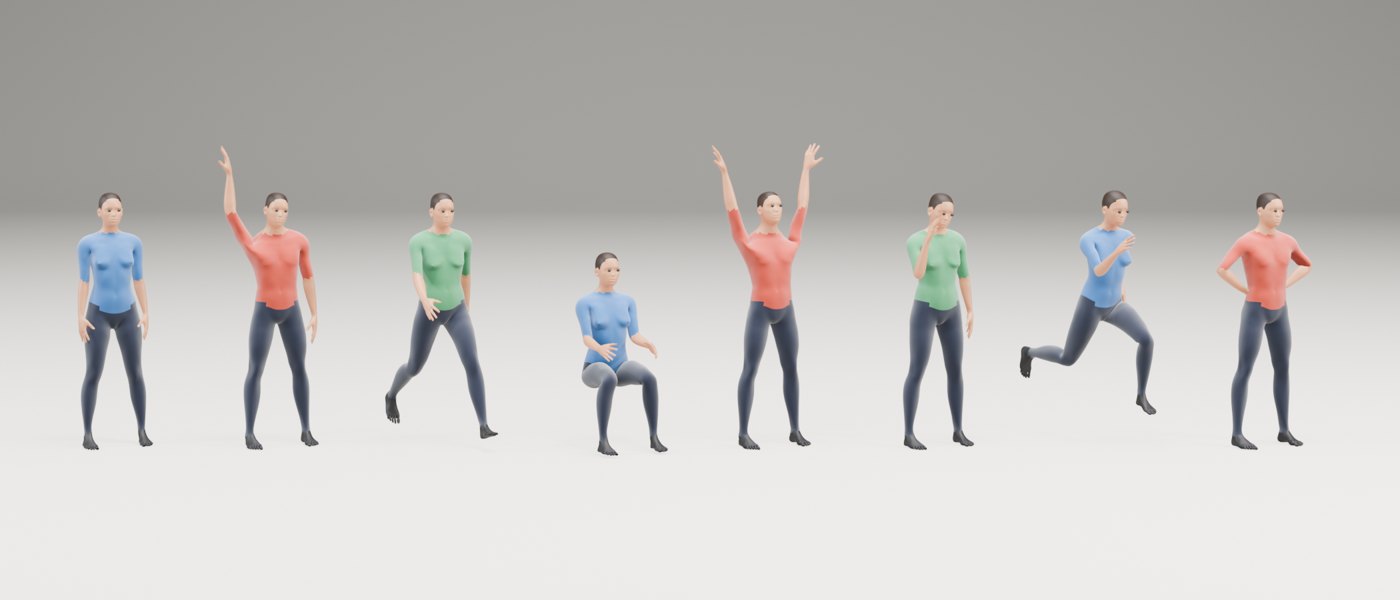
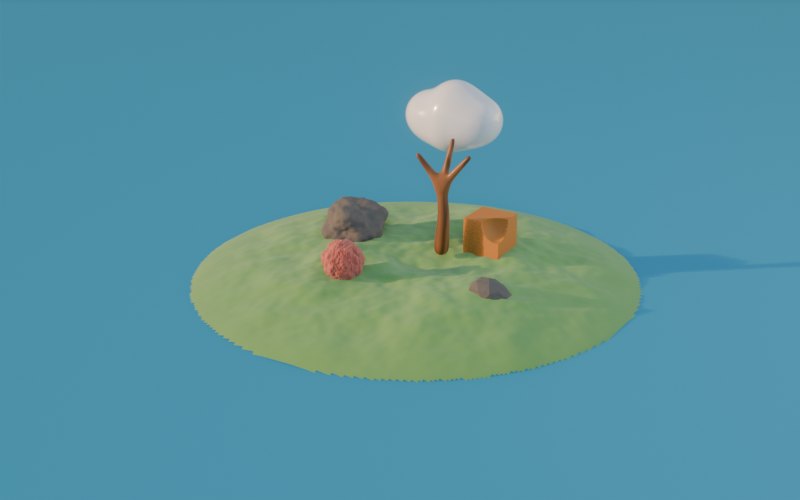
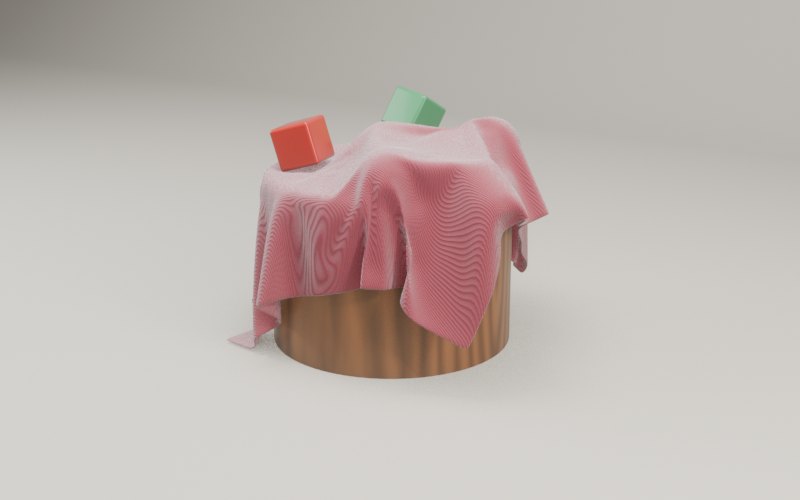
People, organic shapes, physics and video.

These come straight from the project's test suite, unretouched.

What is in the kit

43 tools, in plain terms.

Shapes

Basic solids, rocks, hilly ground, soft blobs, skins wrapped around stick skeletons, roughening, and cutting one shape out of another.

People

Stylised figures in toy, low-poly and blocky styles, realistic bodies, 11 poses and 6 motion clips such as walk, jump and dance.

Surfaces

24 materials including ceramic, gold, glass, wood, fabric and neon, plus photographed textures from Poly Haven.

Staging

Seven lighting rigs, a seamless studio backdrop, nine camera shots with automatic framing, and seven overall looks.

Seeing

Quick previews, a five-angle sheet for checking shape, a scene check for common mistakes, and full-quality final renders.

Motion and files

Turntables, camera moves, falling objects, draped cloth, MP4 video, and import or export for games, the web and 3D printing.

Install

Three steps, no account.

  1. Install Blender 4.2 or newer.
  2. Install uv, a small free program that fetches and runs the tools.
  3. Add the tools to your AI app.

    Claude Code:

    claude mcp add blender-studio -- uvx --from git+https://github.com/Just-Rice/blender-studio blender-studio-mcp

    Claude Desktop, Cursor and others, in the app's MCP settings file:

    {
      "mcpServers": {
        "blender-studio": {
          "command": "uvx",
          "args": ["--from", "git+https://github.com/Just-Rice/blender-studio", "blender-studio-mcp"]
        }
      }
    }

Then ask for something, such as "Make a product shot of a ceramic mug on a warm backdrop."

Limits

  • No brush sculpting. Organic shapes come from noise, blobs, skins and cuts.
  • Realistic bodies have painted-on clothes and simple faces. They hold up at medium distance, not in close-up.
  • Motion clips are simple loops, not motion capture.
  • No fluid simulation.
  • Tested on macOS with Blender 5.2 only so far.

A word on safety

One of the tools lets the AI run code inside Blender, with the same access to your files as any program you run. Use it with AI apps you trust, and keep their approval prompts switched on.